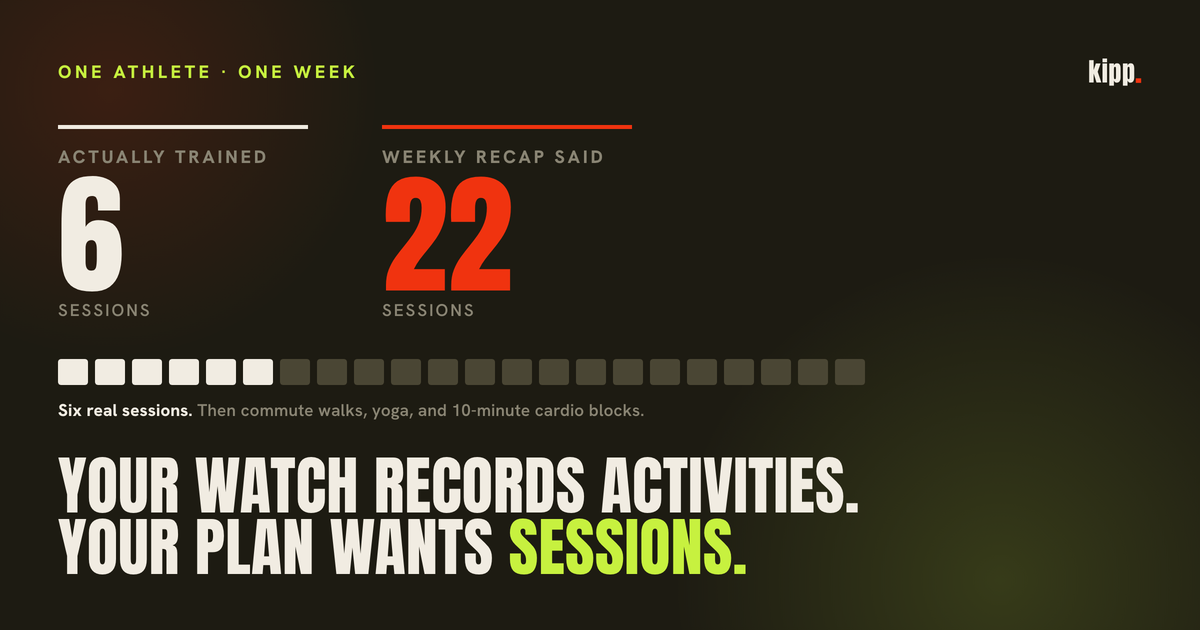
A Sunday recap card told a real athlete he had trained 22 times that week. He had trained about six.
Nothing had broken. Every one of those 22 rows was a genuine record of a human being moving: eight Apple Health walks between 12 and 46 minutes, three yoga entries, four MixedCardio blocks of 10 to 13 minutes, and the handful of sessions he had actually planned and done. His watch reported honestly. The count was still wrong, because "an activity your device recorded" and "a session your plan prescribed" are different units, and almost every fitness app quietly treats them as one.
The short answer
Your wearable records activities. Your plan prescribes sessions. Nothing can convert between the two without knowing which disciplines you agreed to count, so if your weekly session total looks flattering, the first thing to check is whether it is counting walks.
The rest of this is how the inflation happens, what it costs, and the part that surprised us: the wrong number was the less damaging half.
Your device is auto-detecting, and it is eager
You probably did not tell your watch about most of those activities.
Apple Watch's automatic workout detection watches heart rate and wrist movement, and prompts you after roughly 10 minutes of sustained activity with "it looks like you're working out". Confirm it and the watch backfills from the moment you actually started, so you get a complete record with exercise minutes, calories and GPS distance, as though you had pressed start at the door. It covers walking, running, cycling, swimming and elliptical.
This is a good feature. It exists so you do not lose a run you forgot to start. But it means the decision is this a workout gets made by an accelerometer and a heart rate, in the first ten minutes, and is then never revisited.
Garmin's equivalent, Move IQ, triggers on a similar principle and a similar threshold: at least 10 minutes of walking, running, biking, swimming or elliptical work. Its default is more conservative in one specific way that matters. Garmin's own manuals say Move IQ events do not appear in your activities list; you see the event type and duration on your Connect timeline instead. Unless, that is, you have set Move IQ to auto-start a timed activity for walking and running, at which point it produces a real activity like any other.
That toggle is the whole difference between a clean training log and a noisy one, and it is buried two menus deep. We have not tested this across devices ourselves, so treat the following as an inference from the documented behaviour rather than a measurement: two athletes with identical legs and identical commutes can hand a coaching app very different data purely because of a setting neither of them remembers touching.
Then there is the third source, which is other apps. Anything with write access can put a workout into Apple Health, and plenty do.
The label problem
Even for the activities you genuinely performed, the label frequently does not survive the trip.
HealthKit has a long enumerated list of workout types, including two specifically for lifting, traditionalStrengthTraining and functionalStrengthTraining. In our own data, a strength session that has been through Apple Health routinely arrives under a generic bucket rather than either of them.
We fold incoming labels onto a small shared vocabulary so that a goal and a wearable row speak the same language: Strength, Run, Ride, Swim, Row, Walk, Hike, Yoga, Elliptical, HIIT. Anything we do not recognise passes through unchanged rather than being guessed at. MixedCardio is the one that bites: it is a real Zone 2 session, and it matches no filter any human would think to write.
Here is what that costs. A new athlete's plan was three lifting days, two Zone 2 cardio sessions and one interval session, and his habit read "complete all 6 planned sessions each week". Deliberately discipline-agnostic. Our own synthesis then tagged that habit with the disciplines from his plan, Strength, Run and HIIT, rather than from the habit text. His Zone 2 work arrives from Apple Health as Cycling and MixedCardio, neither of which is in that filter.
He graded 2 of 6, every week, while training nearly every day.
Once the wrong filter came off, the same athlete read 12 of 6.
Look at the direction of travel there. The same week, from the same data, described first as a near-total failure and then as double the target. Neither number is a description of what he did.
What we count, and where we got it wrong
Our session count merges two sources on purpose. An athlete who runs four times a week and never opens a logging screen has all their training on the watch; an athlete who lifts and types it into a chat has all of theirs in our own tables. Counting either source alone tells one of them they did nothing.
So we merge, and deduplicate so that a session which is both self-logged and on the watch counts once. The bias in that dedup is deliberately toward merging: under-counting a genuine two-a-day is safer for a habit tracker than double-crediting a single session.
What none of that handles is a row that is real, unique, correctly labelled, and simply not a training session. Eight commute walks are eight distinct activities. The merge has no opinion about them.
Hence 22, against a habit that said six.
The wrong number was the smaller problem. The recap graded that row week over week, which means 22 becomes the following Sunday's bar. A bar assembled entirely out of counting noise, that he could never clear. Every subsequent week would have read as a decline no matter what he trained. It went out as a baseline week with no verdict attached, so the ratchet had not yet engaged, and we found it in a usage audit before it did.
The fix was not a new special case. The row directly below it on the same card, protein, already graded against the athlete's agreed target rather than against last week, and said so in its own comment. Sessions had a target available the entire time and ignored it. It now grades against the number he agreed to, which cannot drift upward on its own.
We added one guard alongside it. The function already opened by refusing to print a 0 it could not stand behind, for an athlete whose training demonstrably never reaches us; the new line refuses to print a 22 it cannot stand behind. It fires only when the goal names no disciplines and the count is far above target, needing both a 2x ratio and at least 3 extra sessions. Either test alone misfires at one end: the ratio alone hides a genuine 3-against-2 week, the absolute gap alone hides a keen 7-against-4 week that someone earned.
The asymmetry worth stealing
The over-count is still there in the habit grader. We left it deliberately, and that looks inconsistent until you separate the two jobs the number does.
For grading, a permissive count fails toward telling someone they are on track. The expensive error in the other direction is a false miss: telling an athlete they skipped training they actually did, which is both wrong and insulting, and is the thing people quit over.
For reporting, the same permissive count is just an inflated figure printed on a card with no denominator and no way to challenge it.
Same data, two jobs, opposite safe failure directions. So we keep the generous count for grading and refuse to print it on the recap. Any system that reports a metric it also grades against has this problem, and mostly resolves it by not noticing.
What we have not fixed
The obvious answer is a minimum duration floor. Drop anything under, say, 20 minutes, and most of this disappears at the source, correcting the grader, the recap, the home screen widget and the trends page in one change.
We have not shipped it, and the count is consequently still wrong in three of those four places.
The reason is the false miss again. A duration floor changes habit grading for every athlete at once, and it can manufacture exactly the accusation the rest of the system is built to avoid: someone whose real session is a 20-minute conditioning block or a short quality interval set gets marked down by a threshold we picked out of the air. That needs its own calibration pass against real data before it goes anywhere near live grading, not a rushed inclusion alongside an unrelated fix.
Counting is also harder in the other direction than it looks. A separate deduplication rule of ours, written to catch the case where Apple Health imports a Garmin workout and creates a mirror, was applying itself within a single source as well. On one Garmin athlete it swallowed 26 of 79 activities and roughly 4,100 kcal, merging a 283 kcal walk and an 85 kcal walk on the same day into one event, because a provider does not report the same workout twice in one feed but a person can absolutely walk twice.
Both bugs are the same mistake in mirror image: assuming the record and the session are the same object.
What to do
- Find out what your watch is recording without being asked. On iPhone: Watch app, My Watch, Workout, then Start Workout Reminder and End Workout Reminder. On Garmin: Move IQ, and specifically whether auto-start is on for walking and running.
- Decide whether walks belong in your training count. Both answers are defensible. Walking is genuinely valuable and we treat it as a signal worth crediting, just never as evidence of a missed session. What is not defensible is not knowing which way your app has decided.
- Name the discipline in the goal itself. "Three strength sessions a week" can be graded honestly. "Six sessions a week" cannot, the moment anything that moves counts as a session. It is the one change here you can make in a sentence, and it is worth more than any setting.
- Never let last week's count set this week's target. A metric derived from noise, compared against itself, ratchets. Grade against a number you agreed to in advance, which does not move on its own.
- Treat a flattering number with the same suspicion as a disappointing one. Nobody files a support ticket saying their app credited them with too much training, which is exactly why that failure survives so long.
A count of your sessions is not an observation. It is the output of several decisions, most of which were made by defaults, and any of which can be wrong in a direction that feels good.
Kipp counts sessions across both your wearable and what you log, deduplicated so one session counts once, and it grades against the disciplines you actually named. When it cannot tell whether a zero means a rest week or a gap in the data, it asks rather than marking you down.
Sources
- Garmin Move IQ, from Garmin's own device manuals: automatic detection of walking, running, biking, swimming and elliptical activity of at least 10 minutes, with events shown on the Garmin Connect timeline rather than in the activities list, and an optional auto-start for timed walking and running activities. Garmin manual
- Apple Watch automatic workout detection behaviour, including the roughly 10 minute prompt and the retroactive backfill of data from before the prompt. AppleToolBox, MacRumors
- Disabling Start Workout Reminder and End Workout Reminder, via the Watch app on iPhone or Settings on the watch. Apple Support
HKWorkoutActivityType, includingtraditionalStrengthTrainingandfunctionalStrengthTraining, is the HealthKit enumeration referenced above. Apple Developer- The 22-session week and its composition, the 2 of 6 and 12 of 6 grading, and the 26 of 79 deduplication figure are from our own roster data. The roster is small, each case is a single athlete, and none of these is a population claim.