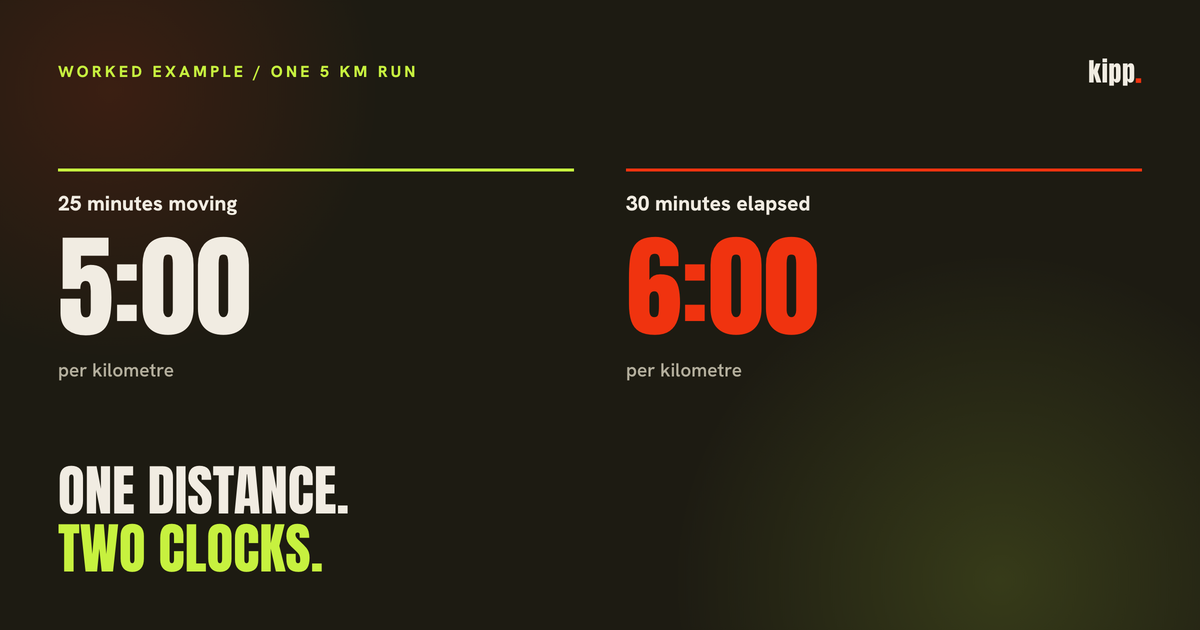
A five-kilometre run takes 30 minutes from start to finish, including five minutes stopped. Divide distance into the 25 moving minutes and the pace is 5:00/km. Use all 30 minutes and it is 6:00/km.
That is a worked example, not a measured disagreement between devices. It isolates one cause of a pace mismatch by holding distance fixed. Our Strava connection stores moving time under the general label of duration, so a later screen can lose the distinction.
The short answer
Before blaming GPS, compare the clocks. Strava distinguishes moving time from elapsed time, and a connected app can choose a different basis for pace. Our connection stores Strava's moving time as the workout duration. A downstream pace calculated from that field is a moving-time pace, even though the label no longer says so. A faster number alone does not show a faster run.
Strava supplies both; our mapping keeps one
The Strava activity reference exposes distance, moving_time and elapsed_time. Distance is in metres and the time fields are in seconds. Those are separate inputs, not alternate spellings for one measurement.
Our Strava connection saves moving time as the workout duration and rounds distance to whole metres. It does not preserve elapsed time alongside moving time in that training record.
The endurance chart then calculates pace as duration in seconds divided by distance in kilometres. The calculation is ordinary division. Its interpretation depends entirely on which duration the importer supplied. This describes how our connection handles those fields. When several sources supply the same activity, another source may supply the final duration.
Same distance, different denominator
The arithmetic of the illustrative run is:
| Input to the pace calculation | Time | Distance | Result |
|---|---|---|---|
| Moving time | 1,500 seconds | 5 km | 300 sec/km, or 5:00/km |
| Elapsed time | 1,800 seconds | 5 km | 360 sec/km, or 6:00/km |
The difference is 60 seconds per kilometre. No route correction or rounding is needed to explain it.
For a real discrepancy, calculate both versions from the source activity. If one matches each app, you have a specific explanation. If neither matches, distance, pause handling or another transformation remains to be checked. This example identifies one mechanism; it cannot diagnose a run we have not inspected.
The race exception makes the missing label matter
Strava's time and pace documentation says its general preference is moving time, but runs tagged as races use elapsed time. Segments and Best Efforts also use elapsed time. Its display therefore contains a policy decision as well as arithmetic.
Our inspected importer reads moving_time without branching on race tagging. The inference is that a downstream pace derived from this imported duration can differ from Strava's own race display. We have not measured the prevalence of that mismatch on the roster, and the article does not claim that every race contains a meaningful moving-versus-elapsed gap.
For a race result, confirm that the displayed time includes the full start-to-finish interval. For a training log, choose the time definition you mean to track and retain the label. Comparing two paces is easier when both disclose the numerator.
Pausing can change which time Strava uses
Strava documents different handling when a run file contains pause events: it respects recorded pauses and does not remove additional resting time. Without pause events it can calculate moving time from GPS. That is why two recordings of the same outing need not reach the same moving duration.
The practical inference is to inspect pause behavior before using a pace discrepancy as evidence that a watch is inaccurate. This does not rank devices or establish that either display is wrong. The example above deliberately assumes an identical distance so the clock remains the only moving part.
A time-only import needs a different response again. Our pace helper refuses to derive a pace without a positive distance and duration. Showing an empty pace is more informative than filling in a distance the app never received.
What to send when reporting the mismatch
Open one specific activity and record its distance, moving time and elapsed time. Then note the receiving app's distance and duration, alongside its displayed pace. That small comparison can distinguish different clocks from a different distance or a genuinely missing field.
Ask which source supplied the final duration if several integrations carry the run. Our duplicate-workout article explains why one physical session can arrive as several records. Selecting a surviving copy also selects its interpretation of time unless the receiving app preserves the original fields explicitly.
Kipp's inspected Strava importer currently stores moving time as a generic duration. Naming that limitation makes its derived pace easier to interpret; this article does not claim that separate moving and elapsed fields have shipped.
Sources
- Strava API reference: SummaryActivity, for distance and the two time fields.
- Strava: Moving Time, Speed, and Pace Calculations, for race and Best Effort exceptions and pause handling.